

4.7 avg.
5655+ reviews View all
5655+ reviews
Order by 16:00 for same day shipping
14 days return
DE
EN
Individual
Business
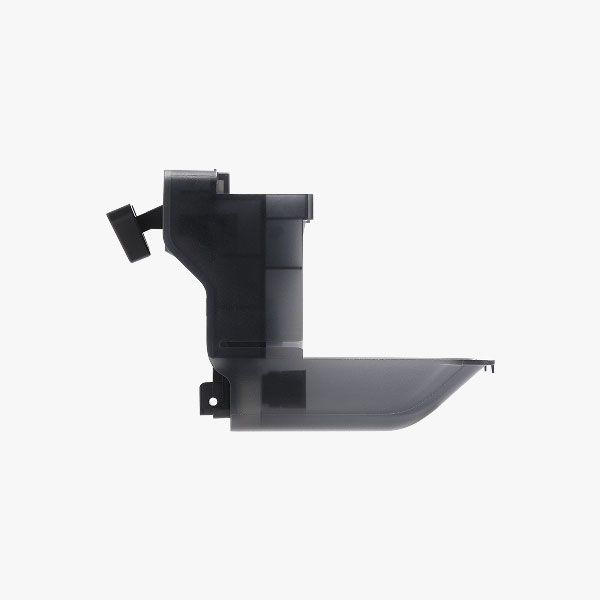
Bambu Lab Purge Wiper - P2S
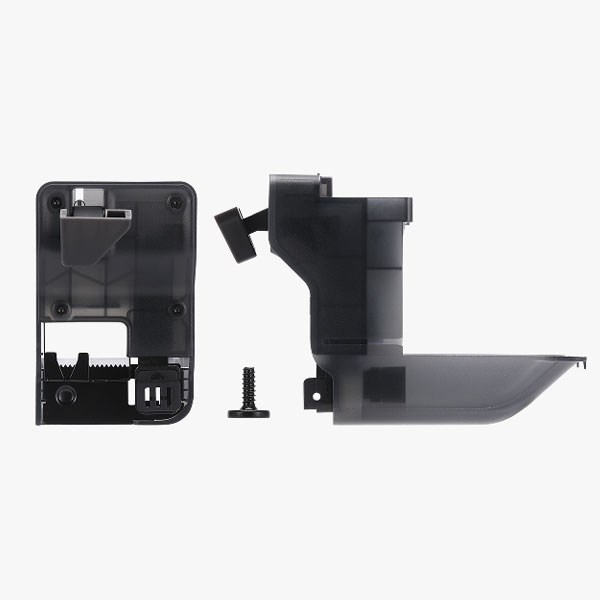
Description Bambu Lab Purge Wiper - P2S
The Bambu Lab Purge Wiper for the P2S helps dispose of waste filament. This part is located at the top of the printer, just above the inner frame. During a filament change, residual material is blown out. The purge wiper ensures that this waste is neatly ejected. This keeps the printer cleaner and makes changing more stable.
Is the purge wiper assembly damaged? If so, waste filament can get stuck or build up. You might notice this sometimes by debris around the drain or a less clean wipe. Replacing it is the right step to get your P2S working reliably again.
You will receive the purge wiper including the correct screws. For installation, follow the steps on the Bambu Lab Wiki. Always turn off the printer and unplug it from the power outlet before performing maintenance.
Bambu Lab Purge Wiper - P2S
In stock
€14.70
Order before 4:00 PM = shipped today
14 days free returns
5655+ reviews
4.7 avg.
5655+ reviewsView allSKU: BAMB3097 Categories: 3D Printer Parts , Bambu Lab
Description Bambu Lab Purge Wiper - P2S
The Bambu Lab Purge Wiper for the P2S helps dispose of waste filament. This part is located at the top of the printer, just above the inner frame. During a filament change, residual material is blown out. The purge wiper ensures that this waste is neatly ejected. This keeps the printer cleaner and makes changing more stable.
Is the purge wiper assembly damaged? If so, waste filament can get stuck or build up. You might notice this sometimes by debris around the drain or a less clean wipe. Replacing it is the right step to get your P2S working reliably again.
You will receive the purge wiper including the correct screws. For installation, follow the steps on the Bambu Lab Wiki. Always turn off the printer and unplug it from the power outlet before performing maintenance.